A tool for better focus and time management
Focus To-Do is a free productivity application packed with features to help you manage your time and tasks. When juggling several things at once, it’s easy to lose focus or forget something important. This application helps you stay organized by tracking your to-dos and encouraging better time management through its simple yet effective tools.
Top Recommended Alternative

The design of Focus To-Do is based on the Pomodoro technique, combining time tracking with task management. Whether you’re working, studying, or running errands, it keeps everything in one place. The layout is simple and beginner-friendly, making it ideal if you easily get distracted or find it hard to stick to a schedule.
Efficiently manage tasks
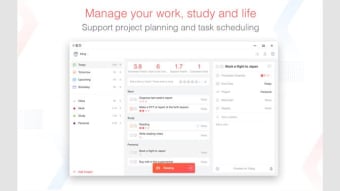
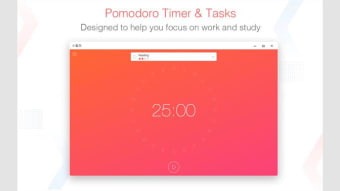
At its core, Focus To-Do uses the Pomodoro timer system. You set a task, start a 25-minute timer, and once it rings, take a five-minute break. This cycle is designed to maintain focus without feeling overwhelmed. For task management, the application provides clear lists where you can assign due dates and color-coded priority levels to sort urgent and less important work.
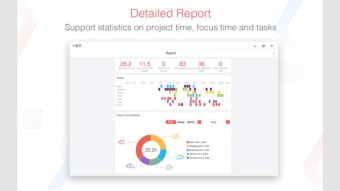
Tasks can be broken down into smaller subtasks to make big goals feel more manageable. You can also add notes, set recurring tasks, and color-code projects to organize them into various categories, such as work, study, or personal. The application even gives you progress reports, showing how many hours you’ve focused and how many tasks you’ve completed daily, weekly, or monthly, making it easier to stay consistent.
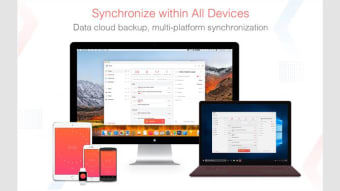
Other highlights include synchronization across multiple platforms, keeping your tasks updated no matter which device you’re on. It also offers built-in white noise to help you stay focused while working or studying. However, some users experience occasional issues opening the app, which can usually be fixed by ending it from the task manager and reopening it. Another small drawback is the lack of a dark mode.
A handy companion to boost productivity
In summary, Focus To-Do is a simple yet powerful productivity application that helps you stay organized and focused. Its Pomodoro timer and detailed task management make it great for anyone who wants to manage time better, whether for school, work, or daily routines. While a dark mode and smoother performance would make it even better, this application already does a great job keeping distractions away and helping you stay productive wherever you are.